

You hit Submit. Now what? What really happens on the Play Store and App Store in 2026
The real review timelines, the rules that trip up first-time Indian app owners, why apps get rejected, and how to get through review without losing a week.
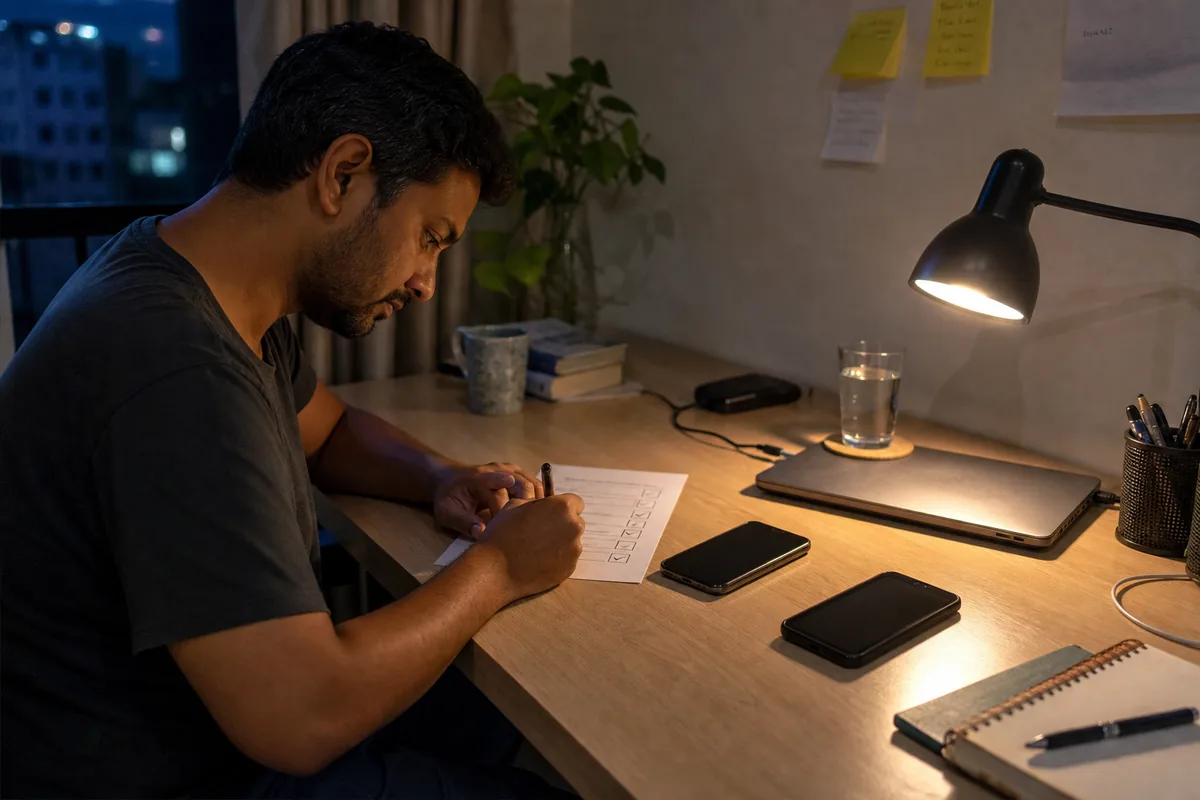
- Submitting is not publishing. Your app enters a review queue at each store, and a human or automated check decides whether it goes live — usually in a day or two on Apple, but sometimes days on Google for a brand-new account.
- Apple says over 90% of submissions are reviewed in under 24 hours. In practice a first app with logins, payments or sensitive permissions often takes 1–3 days, and the biggest single cause of rejection is a crash or a broken button the reviewer hits.
- Google Play now makes brand-new personal developer accounts run a closed test with at least 12 testers for 14 continuous days before you can even apply to go live. Nobody warns most owners about this — plan for it, or your launch slips two weeks.
- Most rejections are boring and fixable: a missing privacy policy, a test login that doesn't work, placeholder text left in, misleading screenshots, or a Data safety form that doesn't match what the app actually does. Fix and resubmit — it is not the end.
- Budget the real setup costs and paperwork: Google Play is a one-time about $25 (~₹2,100), Apple is about $99 a year (~₹8,500), plus a live privacy-policy page, a working demo account for the reviewer, and — for lending or finance apps in India — extra RBI-related declarations.
You spend weeks getting the app right. The screens look good, the payment works, your logo is finally sharp. You take a breath, hit Submit for review, and then... nothing. No confirmation call. No "your app is live" party. Just a status that says Waiting for Review and a knot in your stomach.
I've shipped apps for 15 years, and I still remember how strange that silence feels the first time. So this is the guide I wish every business owner had before that moment: exactly what happens after you press submit, how long each store really takes, why apps get held back, and what to do so your launch doesn't slip by two weeks for a reason nobody warned you about.
No jargon. Just the real process on the Apple App Store and the Google Play Store in 2026, from an Indian business owner's chair.
First, the thing most people get wrong: submitting is not publishing
When you "submit" an app, you are not putting it on the store. You are putting it in a queue. Both Apple and Google sit between you and your customers on purpose. A person or an automated system opens your app, taps around, checks it against a long list of rules, and only then decides whether it goes live, comes back with changes, or gets rejected.
That gap — between submit and live — is where first-time owners lose time, sleep and sometimes a launch date. It is completely manageable once you know the shape of it. Most of the pain comes from surprises, and there are only a handful of surprises to know.
Here's the honest map of the whole journey, before we go deep on each store.
- Set up a developer account on each store (this alone has fees, paperwork and, increasingly, identity checks).
- Upload the app and fill in everything around it — description, screenshots, age rating, and a data/privacy form.
- Submit for review.
- The store reviews it — fast on Apple, sometimes slow on a new Google account.
- You get one of three answers: approved, rejected with a reason, or a request for more information.
- If rejected, you fix that one thing and resubmit. This is normal. Even good apps get bounced once.
- Approved apps go live — sometimes instantly, sometimes on a release date you choose.
Now let's walk each store as it actually behaves.
The setup you underestimate: accounts, fees and India paperwork
Before any review, you need a developer account on each store. This is not the same as an Apple ID or a Gmail. It's a paid, verified publisher account, and it belongs to you, the business owner — not your developer. I'll say that twice because it matters: the store accounts should be in your name, with your billing. If your developer publishes under their own account, your app lives on their shelf, and moving it later is painful.
Here's what each costs and asks for, in 2026:
| Google Play | Apple App Store | |
|---|---|---|
| Fee | One-time ~$25 (about ₹2,100) | ~$99/year (about ₹8,500), renews |
| Account type | Personal or Organisation | Individual or Organisation |
| Identity check | Name, address, phone, email; ID/verification rolling out | Verified via Apple; D-U-N-S number for a company |
| Renewal risk | None — pay once | Miss renewal and your apps are pulled |
A few things Indian owners are routinely surprised by:
- Apple is a yearly cost, not one-time. If you forget to renew the ~$99, your app disappears from the App Store until you pay. Put a calendar reminder on it.
- A company account needs a D-U-N-S number. This is a free business identifier. Getting one can take a few days to a couple of weeks, so start early if you're publishing under a registered company rather than as an individual.
- These fees are separate from GST and from what you pay to build the app. They're billed to you by Apple and Google directly, usually on your card, and Apple's is in dollars, so the rupee amount moves a little.
Once the account exists, you upload the app file, write the store listing, and fill in the part everyone rushes: the privacy and data forms. Rush those and you'll meet the review queue's least fun side. More on that soon.
Google Play: the surprise that costs new owners two weeks
Google Play used to be the "easy" store — upload, wait a few hours, go live. For an established account, it still can be. But if this is your first app on a brand-new personal developer account, there's a rule that catches almost everyone, and almost nobody's developer mentions it up front.
Since late 2023, a new personal developer account must run a closed test with at least 12 testers, opted in for 14 continuous days, before you can even apply to publish to the public. (Google Play Console Help) It started as 20 testers and Google reduced it to 12 in December 2024 after developers said 20 was too hard, but the 14-day clock remains. And it must be continuous — if a tester drops out on day 9, their streak resets.
Read that again, because it reshapes your timeline. On a new personal account, you cannot go live tomorrow no matter how ready the app is. You need:
- 12 real people who install your app from a private test link and keep it installed.
- 14 days in a row of them being opted in.
- Then you apply for production access, and Google reviews the request.
Registered-business (organisation) accounts are exempt from this testing requirement, which is one honest reason a serious business might register as a company rather than an individual. But most first-timers start personal, hit this wall on launch week, and lose a fortnight scrambling for testers.
The fix is simple if you know in advance: line up your 12 testers on day one. Staff, family, friendly customers, your WhatsApp group — anyone with an Android phone willing to keep an app installed for two weeks. Start the closed test the moment the app is stable, so the 14 days run while you finish everything else.
After the testing gate, the actual review is usually quick — often hours to a couple of days. But note two more Google realities:
- Brand-new accounts get extra scrutiny. Your very first review can take longer than later ones while Google establishes trust in your account.
- The Data safety form is checked against your app. If you declare "we collect no data" but your app has a login or analytics, that mismatch can hold you up. Fill it in honestly and completely.
If you already publish under an established or organisation account, ignore most of this — you upload, you're reviewed, you go live, often the same day. The pain is specifically the first-app-on-a-new-personal-account path, and it's the single most common reason an Indian owner's "we launch Monday" quietly becomes "we launch two Mondays from now."
Apple: fast on average, but the average is not your app
Apple has the opposite reputation — strict, fussy, slow — but on timing it's usually the faster of the two. Apple states that over 90% of submissions are reviewed in under 24 hours. (Apple Developer — App Review) In my experience that holds for clean updates and simple apps.
But "90% in a day" is an average, and your first app is rarely an average app. A first submission with a login, payments, location, camera access or anything Apple treats as sensitive commonly takes one to three days, sometimes more, because a human reviewer is genuinely opening it and testing the flows. The day you desperately need a fast decision — a festival launch, a client demo — is never the average day. Plan for up to a week and be pleasantly surprised.
Two Apple-specific things to prepare so you don't lose a round:
- Give the reviewer a working demo account. If your app has a login, Apple's reviewer needs a username and password that actually works, entered in the review notes. The number one silly rejection I see is a test login that's expired or mistyped. The reviewer hits a wall, and back it comes.
- Apple has an expedited review. For a genuine emergency — a critical bug affecting live users, or a real hard launch date — you can request a faster review from inside App Store Connect. Use it rarely and honestly; it's a courtesy, not a fast lane for every update, and over-using it wears out its welcome.
Apple's review is stricter than Google's on design and honesty. It's not being difficult for sport — it's protecting the reviewer's trust that what they see on the store is what a customer gets. Which brings us to the part everyone actually wants to understand.
Why apps get rejected — and why it's almost never a disaster
Here's the reassuring truth first: a rejection is a note, not a verdict. The store tells you which rule you tripped. You fix that one thing. You resubmit the same app. Nothing gets rebuilt. Most good apps get bounced at least once — I've had plenty come back on the first try — and it barely dents the timeline if you respond quickly.
Apple publishes clear guidelines and even calls out the rejections it sees most. The common ones, in plain language:
- The app was incomplete or broke (Guideline 2.1). It crashed, a button did nothing, there was placeholder "Lorem ipsum" text or a "coming soon" screen, or the demo login didn't work. This is the single most common rejection — and the most avoidable. Test every button on a real phone before you submit.
- It didn't do enough (Guideline 4.2, "minimum functionality"). If your "app" is really just your website in a wrapper with nothing app-like about it, Apple rejects it. It expects a real, native experience, not a bookmark.
- The metadata didn't match the app (Guideline 2.3). Screenshots showing features that aren't there, a description promising more than the app delivers, wrong age rating. Show the real app, honestly.
- Privacy problems (Guideline 5.1.1). No privacy policy, a broken policy link, or the app asking for data it doesn't need and can't justify. Apple takes this seriously and so should you.
- Payment rules (Guideline 3.1.1). If you sell digital goods or subscriptions used inside the app, Apple generally requires its own in-app purchase system. Selling physical products or services (a dress, a salon booking, a doctor's visit) is fine with your own payment gateway. This trips up a lot of first-timers, so know which side you're on before you submit.
Google's reasons rhyme with Apple's but lean toward policy rather than polish: broken or misleading functionality, a Data safety form that doesn't match reality, a missing or fake privacy policy, deceptive claims or fake reviews, and asking for permissions the app doesn't need (for example, an app with no calling feature asking for your call logs). Google also cares a lot about impersonation — don't use another brand's name or logo in a way that implies you're them.
Notice the pattern: almost every rejection is boring and preventable. Not "your idea is bad." More like "your privacy link 404s" or "the reviewer's test login didn't work." Which is exactly why the pre-submission checklist below matters more than any clever trick.
A real timeline: how a Noida boutique's first app actually launched
Let me make this concrete with the kind of project I see constantly — details generic, the shape true to life.
Meera runs a boutique in Noida. She wants an app so regulars can browse new arrivals, save favourites and order on WhatsApp. Simple app: catalogue, favourites (which needs a login), and a checkout that opens WhatsApp. She wants it on both stores.
Here's how her two weeks actually went, and where the time really goes:
- Day 0 — accounts. She registers a Google Play account (~₹2,100, one-time) in her business name and an Apple Developer account (~₹8,500/year). Apple's takes a day to verify. Lesson: start accounts before the app is finished — verification isn't instant.
- Day 1 — closed test starts (Google). Because it's a new personal account, she can't go straight to public. She sends a private test link to 14 people — staff, family, three loyal customers — to be safe above the 12 minimum. The 14-day clock starts now.
- Days 1–3 — Apple submission. She uploads to Apple, writes the listing, and — crucially — puts a working demo login in the review notes. First submission comes back in about a day: rejected, Guideline 5.1.1. Her privacy policy link pointed to a page that wasn't live yet. She publishes the policy page, updates the link, resubmits. Total cost of that rejection: a few hours, not a crisis.
- Day 4 — Apple approved. The resubmission clears in under a day. She sets it to release manually so it goes live the same day she's ready to announce.
- Days 1–15 — the Google wait. The app is fine; she's simply serving the 14-day testing rule. She uses the time to gather feedback from testers, fix two small bugs they found, and write her launch WhatsApp broadcast.
- Day 15 — Google production. With 12+ testers opted in for 14 continuous days, she applies for production access, fills the Data safety form honestly (yes, it collects an email for login; no, it doesn't sell data), and submits. Review clears in about a day.
- Day 16 — live on both stores. She announces to her customer list.
Total: about two weeks, and note where the time went. Not the coding. Not even the review. The testing rule and the setup paperwork ate most of the calendar. That's the real lesson — the wait is front-loaded and predictable, so you can run it in parallel with everything else instead of discovering it on launch morning.
If Meera had known the 12-tester rule on day zero, she'd have started the closed test two weeks earlier and launched the day her app was ready. That single piece of knowledge is worth the whole article.
India-specific things you actually need to handle
Most of the store rules are global, but a few matter specifically for Indian businesses:
- Finance and lending apps have extra hurdles. If your app offers or arranges personal loans in India, Google requires a Personal Loan App declaration plus proof you're an RBI-regulated entity or work with registered NBFCs or banks, and your developer account name must match the registered business. (Google Play Console Help) This followed years of Google removing thousands of predatory loan apps. If you're a shop, clinic, coaching centre or D2C brand, this doesn't apply to you — but if there's any lending angle, treat it as a serious compliance project, not a checkbox.
- A real, live privacy policy is non-negotiable. Both stores want a working link to a page that honestly describes what data you collect and why. You need this even for a simple app with just a login. It's cheap to create and a leading cause of easy rejections when it's missing or broken.
- Your Data safety / privacy answers must match the app. Don't guess. If the app collects an email for login, say so. Mismatches between what you declare and what the app does are a fast route to a hold-up on Google.
- Developer identity verification is coming, broadly. Google has announced identity verification for Android developers that expands through 2026 and 2027, tightening who can publish and, eventually, whose apps can even be installed. The first enforcement wave in 2026 covers a handful of countries; India isn't in that first wave, but the direction is clear — publish under a properly identified account in your real business name, and you're future-proof. (Android Developers — Developer verification)
None of this is scary for an ordinary business app. It mostly rewards being honest and organised: real business name, real privacy policy, truthful data disclosures. The owners who struggle are the ones trying to be vague.
Your pre-submission checklist (the boring list that saves a week)
Before you or your developer press submit, run this. It prevents the great majority of rejections I ever see:
- Open the app on a real phone and tap everything. No dead buttons, no crashes, no blank screens, no placeholder text. The reviewer will find what you skip.
- Create a working demo login and put the username and password in the review notes. Double-check it works today, not last week.
- Publish your privacy policy at a live URL and paste that exact link where each store asks. Open the link yourself to confirm it loads.
- Fill the Data safety / privacy form honestly to match what the app actually collects. If in doubt, under-collect and disclose.
- Make screenshots and description match the real app. No features shown that don't exist. No exaggerated claims.
- Confirm your payment approach fits the rules — your own gateway for physical goods and services; Apple's in-app purchase for digital content used inside the app.
- On a new Google personal account, start the 12-tester, 14-day closed test as early as possible — ideally the day the app is stable.
- Set your accounts up in your own business name, with your billing, and note Apple's yearly renewal in your calendar.
Tick these and most apps sail through. Skip them and you'll meet the queue twice.
The honest trade-offs
I won't pretend it's all smooth. A few real tensions worth knowing:
- Personal vs organisation account (Google). Personal is instant and free-ish to set up but drags you through the 12-tester rule. An organisation account skips that but needs a registered business and a D-U-N-S number and a little more setup. For a serious business, the organisation route often saves the launch-week scramble.
- One store or both? Every Indian audience skews Android, so if budget or time is tight, launching on Google Play first and adding Apple later is a perfectly sensible choice — you reach most of your customers sooner and add the ~$99/year Apple cost when it's justified.
- Speed vs safety on review. You can't really rush Google, and Apple's expedited review is for genuine emergencies. The honest way to "go faster" is to not get flagged — a clean, complete, honest submission is the fast lane.
- Doing it yourself vs getting it handled. The process is learnable, and a capable owner can absolutely self-publish. But the store setup, the testing rule, the forms and the resubmissions are exactly the kind of fiddly, easy-to-trip-on work where a small mistake costs a week. It's worth deciding honestly whether your time is better spent running your business.
If you'd rather not manage accounts, testers, forms and resubmissions yourself, that submit-and-go-live step is part of what a proper build should include — see what a store-ready app really costs in our breakdown of app development costs in India, and how to judge a developer in our guide to picking an app developer in Delhi-NCR. At Roy Digital we publish under your own accounts and hand you the keys — you can see what a store-ready build includes on our pricing page.
The bottom line
The silence after you hit submit is only scary because it's unfamiliar. Once you know the shape of it, it's just a process — and a fairly forgiving one. Apple usually answers within a day and tells you exactly what to fix if it says no. Google is quick too, once you're past the first-account testing rule that catches everyone who doesn't plan for it.
Almost nothing that goes wrong is fatal. A broken link, a bad test login, a form that doesn't match the app — you fix the one thing and resubmit. The owners who launch smoothly aren't luckier or more technical. They just knew where the waits and the traps were, started the testing clock early, and submitted something honest and complete.
Now you know too. Set up the accounts in your name, prepare the privacy policy and demo login, start those 12 testers early, and press submit with a lot less knot in your stomach.
Frequently asked questions
How long does it take for an app to go live after I submit it?
On Apple, most apps are reviewed within a day — Apple says over 90% of submissions get a decision in under 24 hours — though a first app with logins or payments can take one to three days. On Google Play, a straightforward update can go live in hours, but a brand-new personal developer account must first run a 14-day closed test with at least 12 testers before it can even apply for production. So a genuinely first-time Android launch realistically takes two to three weeks from account creation to live, most of it spent on that testing rule, not on the review itself.
Why do apps get rejected, and does a rejection mean I have to start over?
No — a rejection is almost always a fixable note, not a dead end. The store tells you which rule you tripped, you fix that one thing, and you resubmit the same app. The most common reasons are dull and easy to prevent: the app crashed or a button led nowhere when the reviewer tried it, there was no working test login, the privacy policy link was missing or broken, screenshots didn't match the real app, or the data-collection form didn't match what the app does. None of these require rebuilding anything.
Do I need both an Apple and a Google account, and what do they cost?
You need a separate developer account for each store you want to be on. Google Play charges a one-time registration fee of about $25 (~₹2,100) for the life of the account. Apple's Developer Program costs about $99 a year (~₹8,500) and must be renewed, or your apps are removed from the store. Both are billed to you directly and are separate from what you pay a developer to build the app. If you only sell to Android users in India, you can start with Google alone and add Apple later.
What is the 12-tester rule on Google Play and does it apply to me?
Since late 2023, Google requires new personal developer accounts to prove an app has been genuinely tested before it can go public. You must run a closed test with at least 12 testers who stay opted in for 14 continuous days, then apply for production access. It applies to personal accounts created after that change; registered-business (organisation) accounts are exempt. If you are launching your first app as an individual, plan for those two weeks up front — find your 12 testers early, because the clock only counts consecutive days.
Can I make Apple or Google review my app faster?
Apple offers an expedited review you can request from App Store Connect for genuine, time-sensitive situations — a critical bug fix or a hard launch date. Use it sparingly and honestly; it is not a fast lane for every update. Google has no request-a-human speed-up, but you avoid delays by not being flagged in the first place: a complete Data safety form, a real privacy policy, no misleading claims, and a clean testing history all keep you out of the slow, manual-review pile.
Are there extra rules for Indian apps, like finance or lending apps?
Yes. If your app offers or facilitates personal loans in India, Google requires a Personal Loan App declaration and proof you are an RBI-regulated entity or work with registered NBFCs or banks, and your developer account name must match the registered business. Beyond finance, every app must show an accurate privacy policy and a truthful Data safety section, and Google is rolling out developer identity verification globally through 2026–2027. For most shops, clinics and D2C brands none of the finance rules apply — but the privacy policy and honest data disclosures always do.
Want it built for you?
We design, build and ship your app to the App Store & Play Store — done for you, at a fixed price from ₹9,999.
See app-building plansRoy Digital App StudioHave an app idea?
Describe it in plain English and get a written blueprint, one real home-screen design made for your idea, and a fixed price to build it — in about 5–10 minutes, free.
Get a free App BlueprintLive BatchWant to learn to build it yourself?
Learn to plan, build, test and ship real business apps in four weeks of live classes — no coding needed.
Explore the Live Batch